







$7.49 $10.99
🎟️ Get The Pass Animated Channel Point Ticket Alert Widget for StreamElements
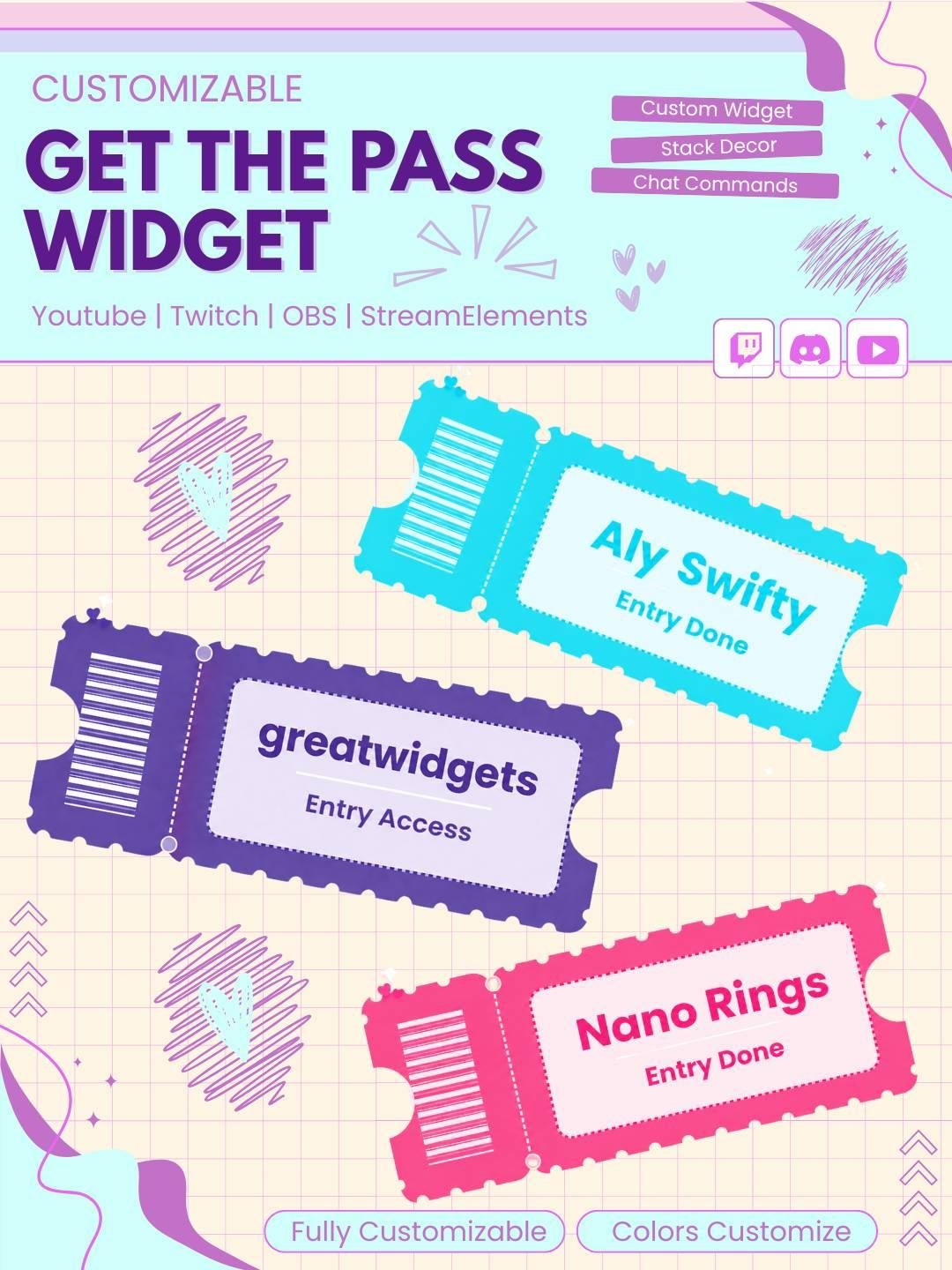
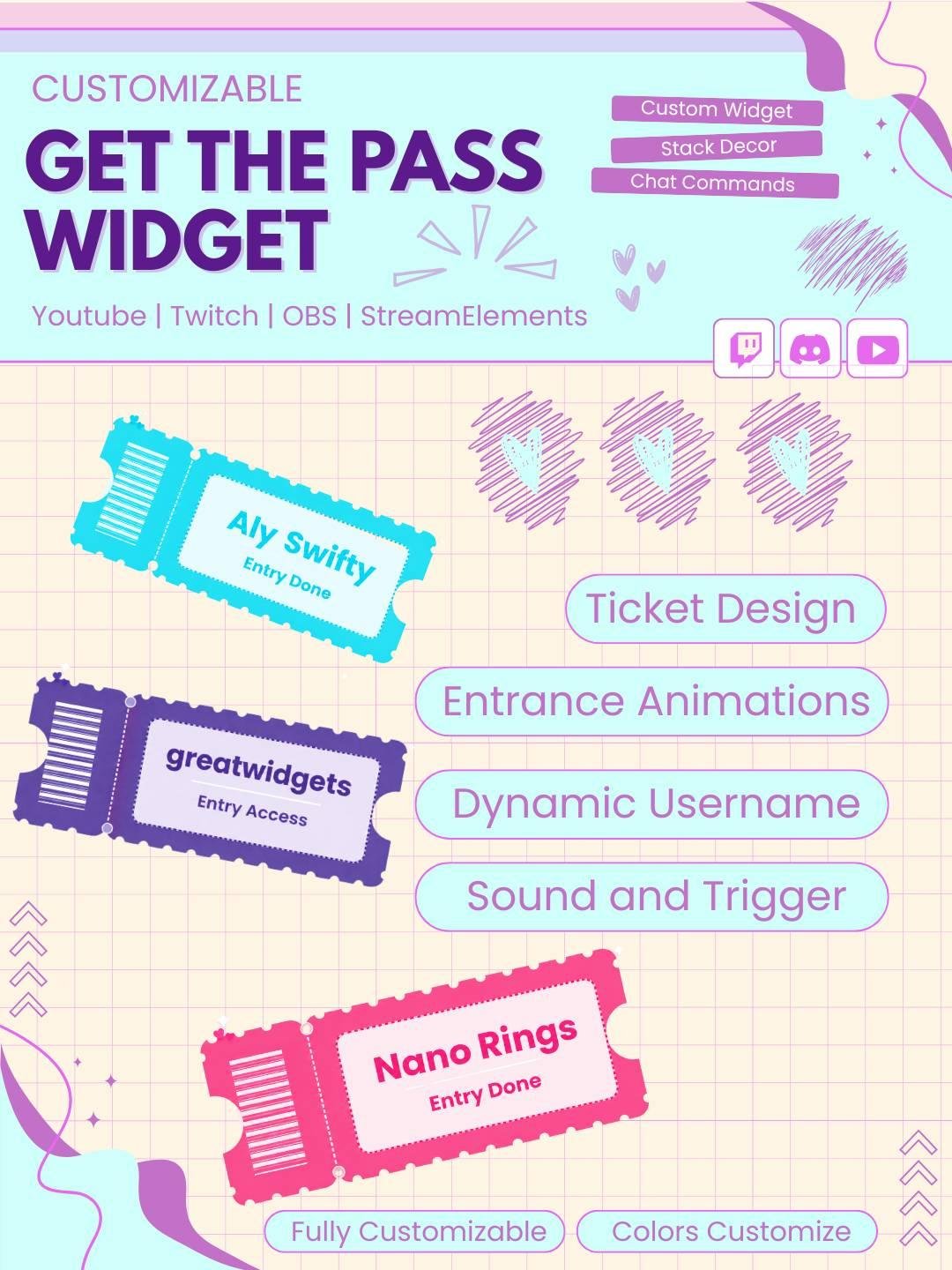
Turn every channel point redemption into a moment. When a viewer claims their reward, a beautifully designed concert-style ticket slides onto screen with their name printed on it
🎬 How It Works
This isn’t just a static alert it’s a mini animated sequence
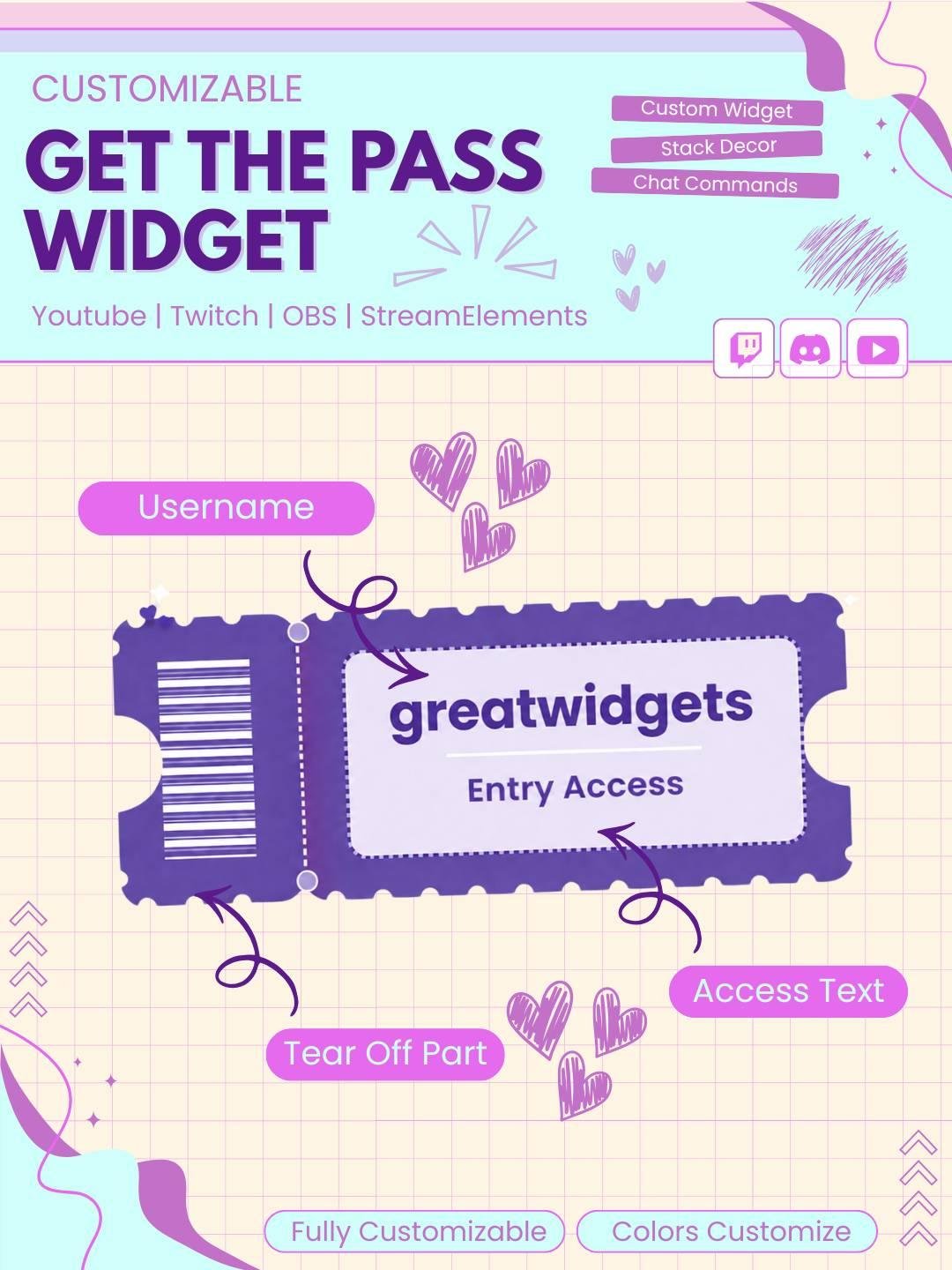
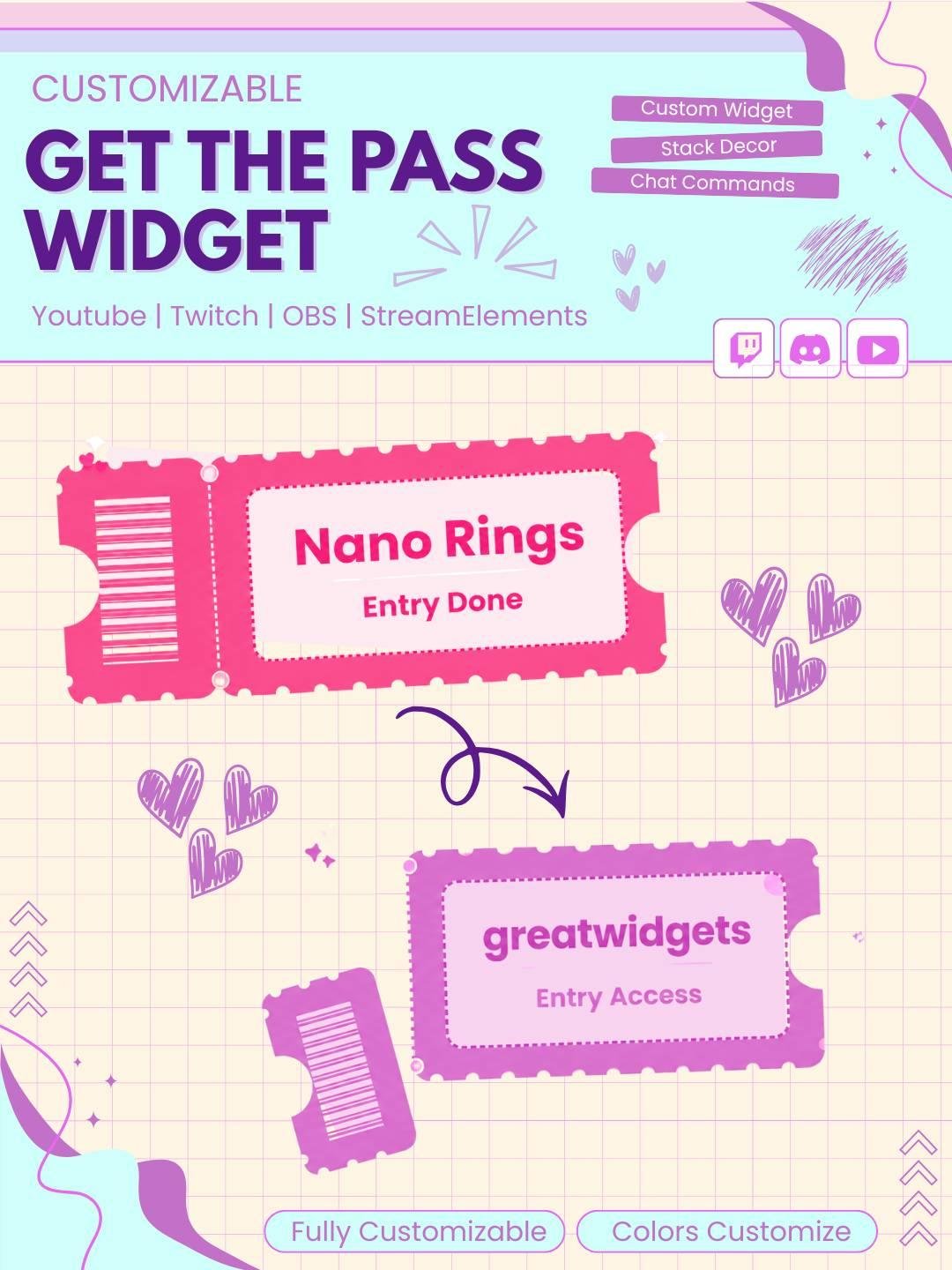
A full ticket appears on screen with the viewer’s username printed on it
A stack of extra tickets peeks out behind it for depth
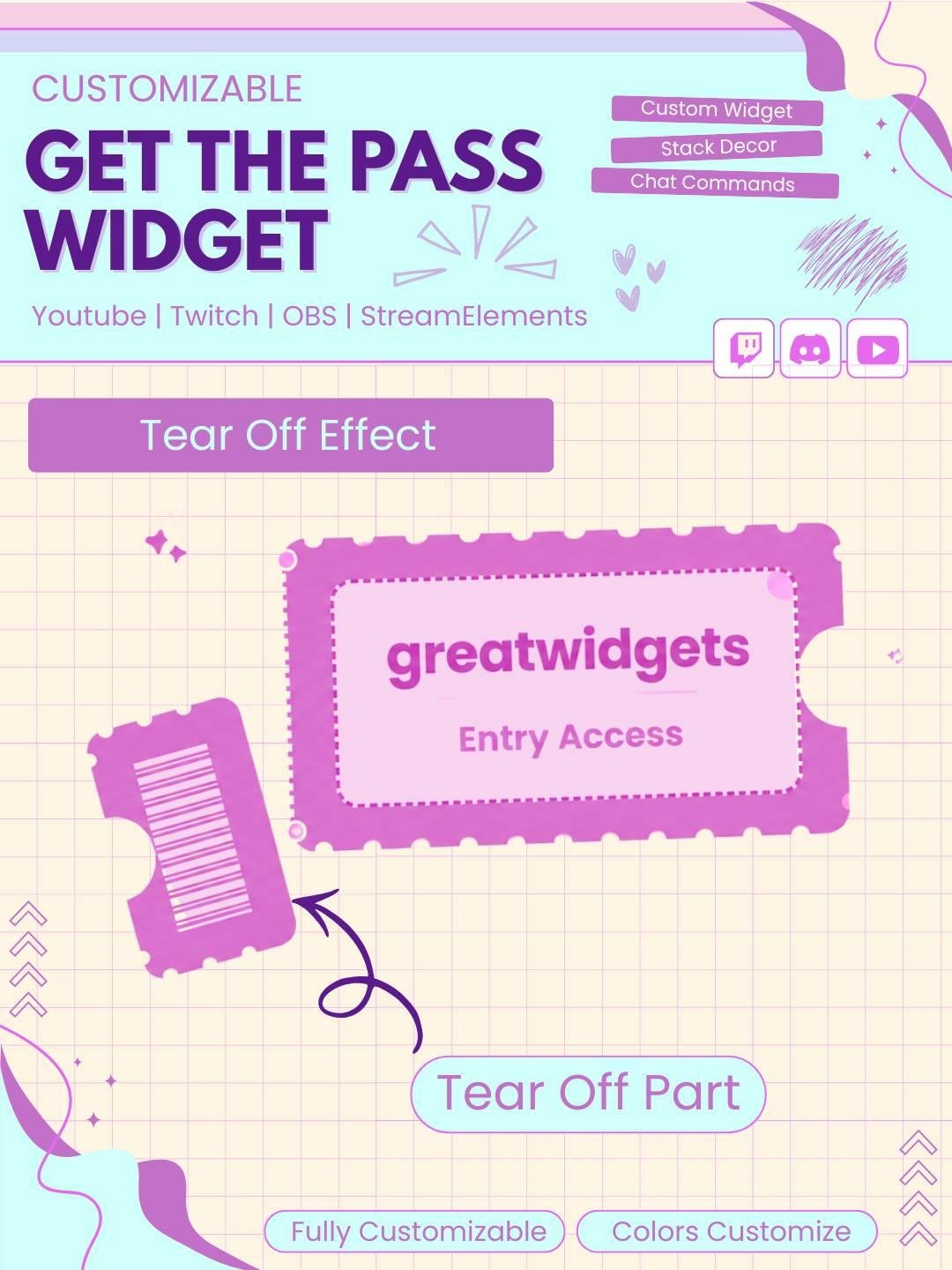
After a short delay, the barcode stub visually tears away and falls off, just like ripping a real ticket at the door — while the main pass with their name stays on screen
A confetti burst celebrates the claim
The ticket displays for your set duration, then clears itself for the next viewer
Make viewer rewards, giveaways, and community events easier to manage with the Ticket Claim Twitch Channel Widget. This interactive Twitch widget lets viewers claim digital tickets through chat or supported stream actions. As a result, your audience can join games, prize draws, raffles, and special events in a simple and fun way.
The widget works well for Twitch streamers, VTubers, gamers, and community creators. Moreover, the ticket-style design adds a creative visual feature to your stream overlay.
The Ticket Claim Twitch Channel Widget gives viewers a clear way to collect or claim tickets during your live stream. A ticket can appear on screen after a viewer uses a supported command or completes an available action.
Therefore, normal chat activity can become part of an interactive stream event. In addition, each ticket claim can create a visible and rewarding moment for the viewer.
This Twitch ticket widget can support many types of community activities. For example, it can be used for:
As a result, entries can feel more organized and exciting.
Viewers can claim a ticket through a supported Twitch chat command, depending on the widget setup. Once the command is entered, the ticket animation can appear on stream.
Because the interaction happens through chat, viewers do not need to leave the channel. Moreover, the simple process makes the widget easy to understand for both new and regular viewers.
The widget uses a ticket-style animation instead of a plain text message. Therefore, each claim feels more noticeable and enjoyable.
A ticket may appear, print, slide, stamp, or reveal the viewer’s name, depending on the available design. As a result, your stream can feel more active without becoming too crowded.
The Ticket Claim Twitch Channel Widget can make channel rewards feel more special. For example, a claimed ticket may be used as an entry for a giveaway, game, challenge, or community event.
In addition, viewers can collect tickets during longer streams or special campaigns. Therefore, the widget can support both simple activities and larger Twitch events.
Interactive widgets give viewers more ways to join the broadcast. For this reason, the ticket claim system can make your audience feel more involved.
Each ticket creates a clear sign that the viewer has entered an event or received a reward. Consequently, the activity feels more personal and organized.
However, the widget does not guarantee more followers or engagement. Instead, it provides a creative tool that can improve the viewer experience.
The ticket claim widget works well for many types of channels, including:
Furthermore, the ticket design can match arcade, carnival, retro, cute, gaming, minimal, and colorful stream themes.
The Ticket Claim Twitch Channel Widget is designed for StreamElements. First, add the widget to your StreamElements overlay. Then, follow the included setup instructions and adjust the available options.
No advanced coding or design knowledge is required. Therefore, both beginner and experienced streamers can use the widget easily.
This Twitch ticket widget works with popular streaming software, including:
You can add the widget as a browser source. As a result, it can fit smoothly into your current Twitch OBS setup.
Moreover, the ticket animation can be placed near your webcam, chat box, alerts, or gameplay area.
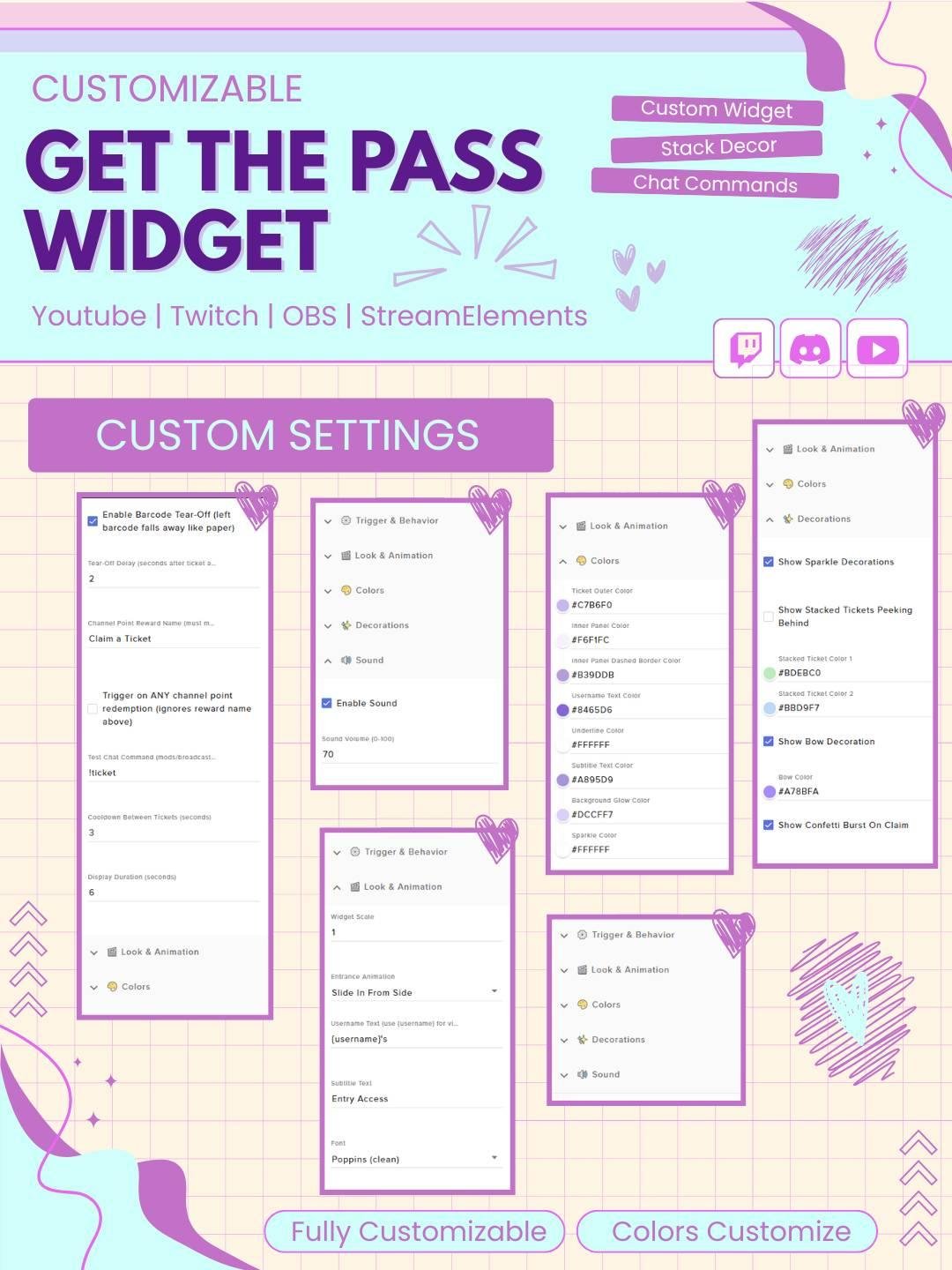
The available settings can be adjusted to match your stream. For example, you may be able to change:
Therefore, the widget can fit different stream themes, rewards, and community events.
Cooldown settings can help prevent too many ticket claims from appearing at once. Therefore, the stream overlay can remain clean during busy chat activity.
Depending on the available settings, ticket claims may also be limited to subscribers, VIPs, moderators, or selected viewers. As a result, you can manage the activity based on your channel rules.
The widget uses clear text, smooth animation, and an easy-to-read ticket design. Consequently, viewers can quickly understand when a ticket has been claimed.
In addition, the animation adds movement without covering important gameplay or stream content for too long.
A unique ticket system can become a memorable part of your stream identity. Therefore, this interactive Twitch channel widget can support your branding and community style.
You can combine it with matching alerts, overlays, chat widgets, goal displays, and giveaway graphics. As a result, your full Twitch setup can look more complete and connected.
The Ticket Claim Twitch Channel Widget combines chat interaction, digital tickets, and animated effects in one useful stream feature. Moreover, it gives viewers a simple way to enter giveaways, collect rewards, and join community events.
Whether you use it for raffles, prize draws, channel rewards, or special Twitch activities, this interactive ticket widget can make your stream feel more organized, creative, and engaging.

Reviews
0.0 Average Rating Rated ( 0 Review )
There are no reviews yet.