

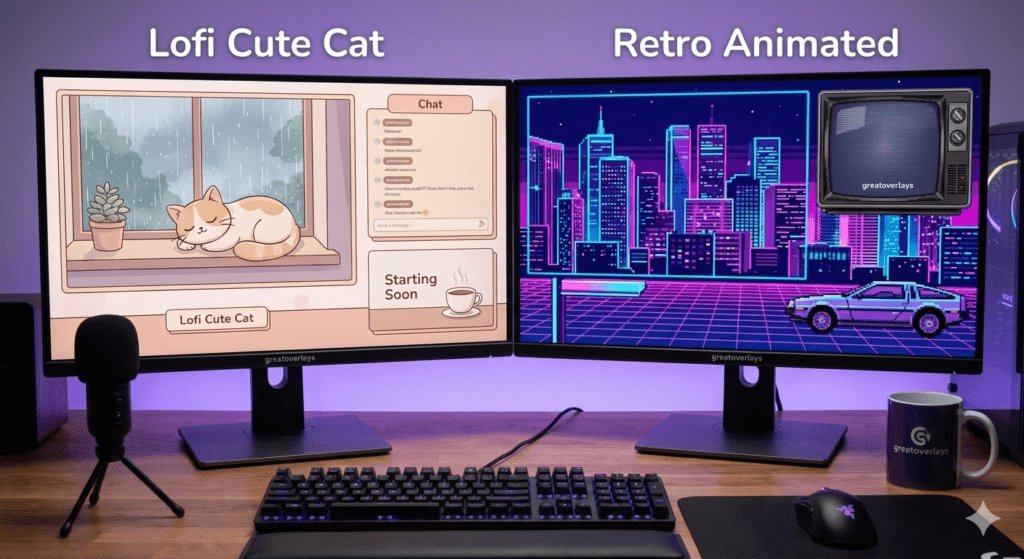
Free Stream Overlays That Actually Look Good: Lofi Cute Cat & Retro Animated Twitch Overlays | greatoverlays
Alright, let’s talk overlays — the thing most new streamers don’t think about until they realize their stream looks… well, kind of ugly.
We’ve all seen it: blurry graphics, clashing colors, generic templates that look like they were made in 2012 on a budget laptop. A bad overlay doesn’t just ruin the aesthetic — it makes your whole stream look unprofessional.
But here’s the good news: greatoverlays is offering two completely free stream overlay packages, and they don’t look cheap at all. Perfect for:
- Beginner streamers
- Casual content creators
- VTubers trying to add personality
- Anyone who wants a better-looking stream without spending money
Let’s break them down.
1. Stream Package — Lofi Cute Cat
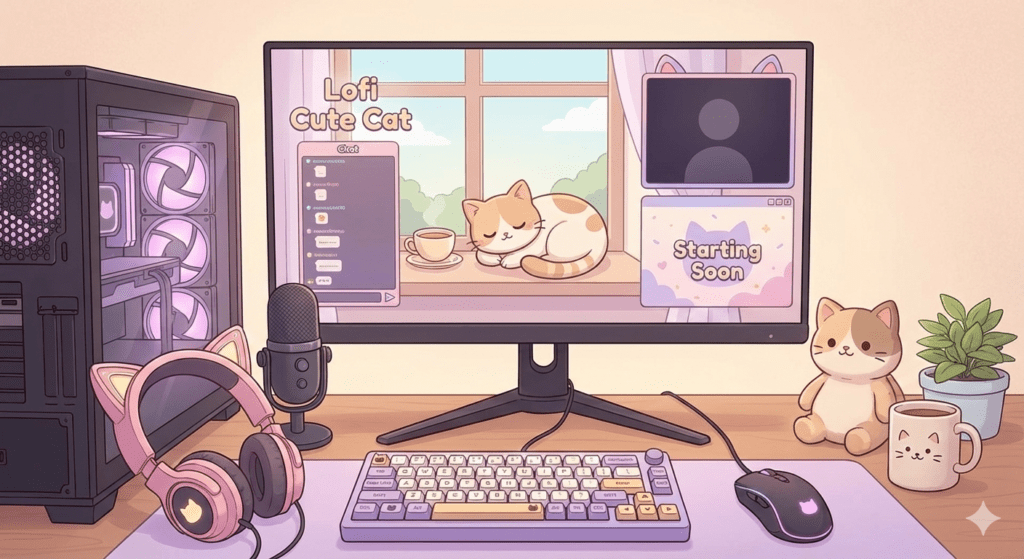
If you love cozy vibes, soft colors, and that laid-back lofi aesthetic, this one hits the spot.
The Lofi Cute Cat Stream Package feels warm, friendly, and inviting — the type of overlay that makes people stick around even when you’re just chilling or chatting.
Why people love it:
- Cute cat designs that add charm without being distracting
- A soft, calming color palette
- Clean layout that doesn’t cover your gameplay
- Perfect for chill streams, lofi playlists, casual gameplay, and VTubing
- Extremely beginner-friendly
What’s usually inside the package:
- Starting Soon screen
- BRB screen
- Stream Ending screen
- Simple Live Overlay
- Cat-themed accents to sprinkle around your scenes
It’s a great pick if you want your stream to feel cozy, personal, and welcoming.
2. Retro Animated Stream Overlay
This one is the complete opposite vibe — bold, nostalgic, old-school gaming energy.
The Retro Animated Stream Overlay gives your channel personality right away, especially if you love classic gaming or want a standout visual theme.
Why it works:
- Animated retro elements that catch the eye
- Nostalgic aesthetic that feels like vintage gaming
- Amazing for retro gamers, variety streamers, or Just Chatting sessions
- Unique look compared to the modern minimal overlays everybody uses
What’s inside:
- Animated Starting Soon screen
- Animated BRB screen
- Retro-style Stream Ending screen
- Classic-style Live Overlay
- Old-school visual decorations and accents
It’s fun, loud, and perfect if you want your channel to feel energetic and memorable.
Lofi Cute Cat or Retro Animated — Which One Should You Choose?
Both overlays are free and high quality, but they serve completely different aesthetics.
Choose the Lofi Cute Cat overlay if you:
- Prefer cute, soft, cozy visuals
- Are a VTuber or chill streamer
- Play relaxing or slow-paced games
- Want a friendly, relaxed vibe
Choose the Retro Animated overlay if you:
- Love bold, eye-catching visuals
- Enjoy retro or variety gaming
- Want animation in your scenes
- Prefer a fun, nostalgic feel
These overlays are especially great for new streamers trying to find their style before moving into full custom branding later.
Why Overlays Still Matter (Yes, Even for Beginners)
Some new streamers underestimate overlays, but they actually make a massive difference. A good overlay can:
- Make your stream look polished
- Increase viewer retention
- Build your brand identity
- Set the tone and vibe of your content
- Help you stand out from other beginners
People do judge what they see before what they hear — design matters.
Why Choose greatoverlays’ Free Packages?
Greatoverlays stands out because they focus on quality — even in their free stuff.
- Clean, modern designs
- Beginner-friendly installation
- Works perfectly with OBS, Streamlabs, etc.
- Compatible with Twitch and YouTube
- No cheap-looking graphics
- Made specifically with streamers in mind
These overlays might be free, but they still level up your stream instantly.
FAQs About greatoverlays Free Stream Overlays
Are these overlays actually free?
Yes, both are 100% free to download and use.
Do they work on OBS and Streamlabs?
Absolutely — fully compatible.
Are they good for beginners?
Yes! They’re simple, smooth, and easy to set up.
Can I use them for Twitch and YouTube?
Yep, both platforms.
Do any of these overlays have animation?
The Retro Overlay does.
The Lofi Cute Cat overlay is mostly static for a calm, soft look.
No Comments