

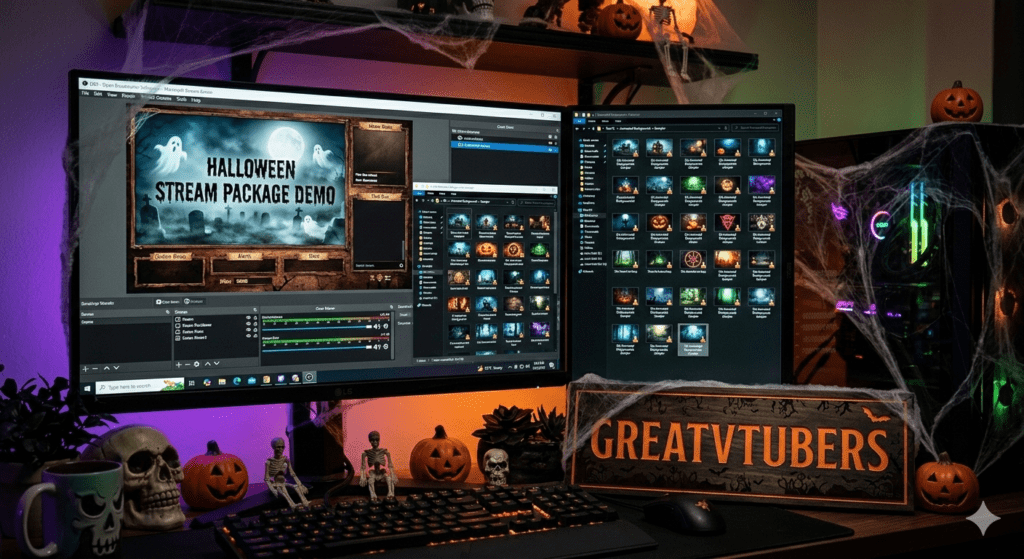
Halloween Twitch Stream Package & 50x Animated Halloween Background , Spooky Twitch Stream Assets
Seasonal streams crush when your visuals match the vibe. Whether you want a full Halloween Twitch Stream Package with animated overlays, alerts, and transitions or a massive set of 50x Animated Halloween Backgrounds to rotate scenes, Greatvtubers builds OBS-ready, spooky assets that make your channel feel haunted and professional. Marketplaces are full of holiday overlay bundles , creators buy themed packs to run Halloween marathons, collabs, and special events every October. Greatvtubers. Etsy.
Halloween Twitch Stream Package , Animated Twitch Spooky Horror
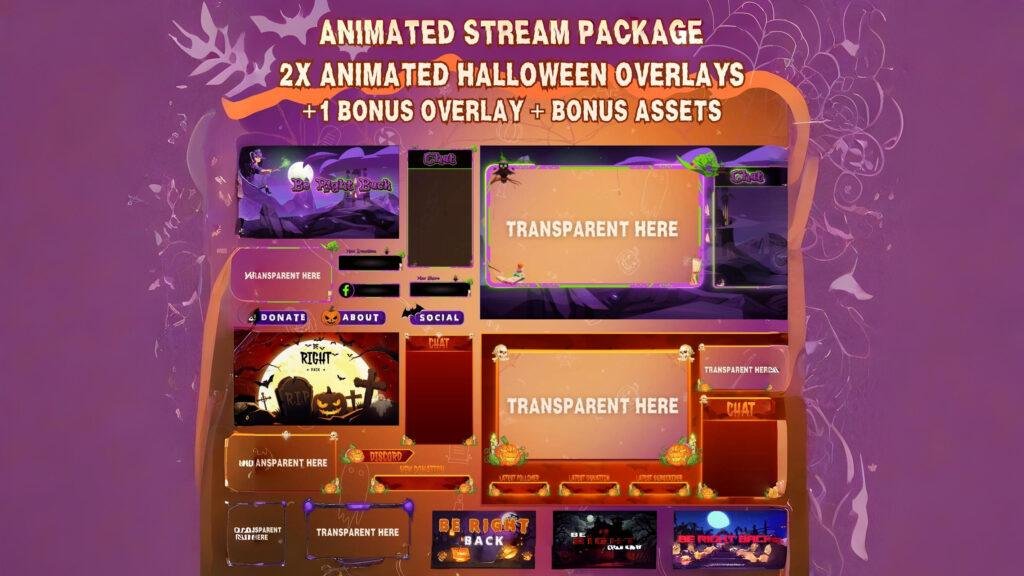
Why this pack is perfect for horror streams
A dedicated Halloween Twitch Stream Package bundles everything a streamer needs: starting/ending screens, animated webcam frames, spooky alert animations, stinger transitions, and overlay decorations (cobwebs, flickering candles, ghostly glows). Experts and roundup guides consistently highlight holiday overlay collections as quick, high-impact upgrades for seasonal content.
What’s included (typical contents)
- Animated overlay frames (loopable .webm/.mp4 assets) for Live / BRB / Starting Soon / Ending
- Animated alert files (follower, sub, donation) with horror sound cue suggestions
- Stinger transitions (short spooky wipes) and scene templates (facecam + gameplay + intermission)
- Themed panels, offline banners, and matching Twitch panels/icons
- Layered source files (PSD/AI) for color/text edits and a short OBS install guide
Key benefits for your channel
- Instant event-readiness: launch a Halloween stream with professional UX and scary polish.
- Viewer delight: animated alerts + stingers increase reaction rates and hype.
- Marketing hooks: themed content drives thumbnail clicks and seasonal discoverability.
OBS / Stream setup tips
- Add animated assets as Media Source with loop enabled; use .webm for smaller file sizes and smoother loops. OBS Studio
- Put heavy overlays on a separate scene so you can toggle them without reloading the whole scene collection.
- Enable hardware decoding for media sources when possible to relieve CPU load.
- Test alerts locally (record a short clip) to confirm audio + visual sync before going live.
Product link :
Explore the Halloween Twitch Stream Package on Greatvtubers here.
50x Animated Halloween Background , 4x Animations + 2x Chairs
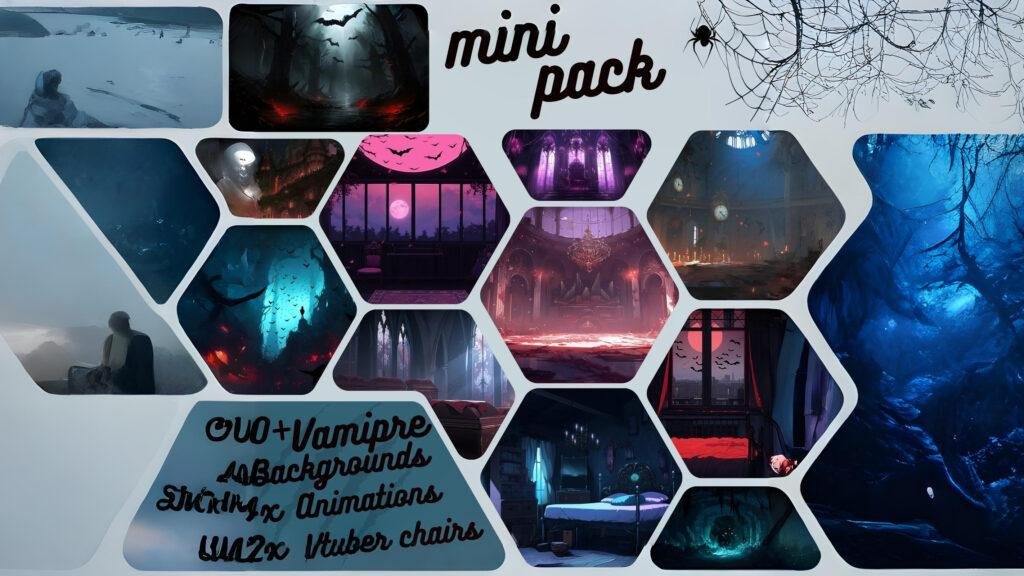
Why a 50x background pack matters
A large set of loopable Halloween backgrounds lets you rotate themes (haunted mansion, graveyard fog, pumpkin patch, candlelit room) so viewers don’t get background fatigue and you can match visuals to the game or segment. Market listings show hundreds of animated Halloween background assets available — creators favor packs with variety and webm/mp4 loop exports.
What’s included (typical contents)
- 50 loopable high-resolution Halloween backgrounds (1080p / 1440p / cropped webcam variants)
- 4x unique foreground animations (e.g., floating spirits, floating candles) and 2x static/animated chairs or props for avatar staging
- Alpha/webm variants where applicable, plus PNG fallbacks for static scenes
- Lightweight versions for low-spec streaming rigs and an OBS quick-start guide
Benefits for your channel
- Scene flexibility: run different backgrounds for gameplay, chats, horror reading sessions, and events.
- Production polish: foreground animations + props give depth without needing a green screen.
- Low friction: loopable files that import directly into OBS as Media Sources.
OBS install tips
- Use separate Media Sources for background and foreground animations (set foreground on top with proper alpha/transparency).
- For the chair/prop elements, use a PNG sequence or webm with alpha so your VTuber avatar can sit “in scene.”
- Keep a low-res folder and test CPU/GPU usage in a 30–60 minute test recording.
Product link :
View 50x Animated Halloween Backgrounds on Greatvtubers here.
How to choose between the two (quick guide)
- Want a full branding overhaul with alerts, overlays, transitions? Get the Halloween Twitch Stream Package.
- Want background variety and scene rotation with avatar props? Get the 50x Animated Halloween Background pack.
FAQ’s :
Q1: Are the Halloween Twitch Stream Package overlays compatible with OBS?
A1: Yes — assets include OBS-ready webm/mp4 loops and PSD/AI sources plus an install guide so you can import overlays, alerts, and stinger transitions quickly.
Q2: Are the 50x Animated Halloween Backgrounds loopable for long streams?
A2: Yes — each background is exported as a seamless loop (webm/mp4) so you can run them for hours without visible jumps.
Q3: What file formats should I expect with these Halloween packs?
A3: Common formats are .webm (preferred for loops and smaller file size), .mp4 (widely compatible), .png (static fallbacks), and layered PSD/AI for edits.
Q4: Will these animated assets hurt my stream performance?
A4: Optimized webm files and hardware decoding reduce CPU usage — still keep low-res fallback files for low-spec machines and separate heavy overlays into toggleable sources.
Q5: Can I customize colors, text, or swap sounds in the Halloween Stream Package?
A5: Most premium packs include layered source files (PSD/AI) so you can change colors and text; alert sounds are usually replaceable — check license/asset notes for specifics.
No Comments